Repetitive Registration
1 Star Challenge 10/28
Follow the DRY principle while registering a user.
DRY: Don't Repeat Yourself
The normal registration process works perfectly.
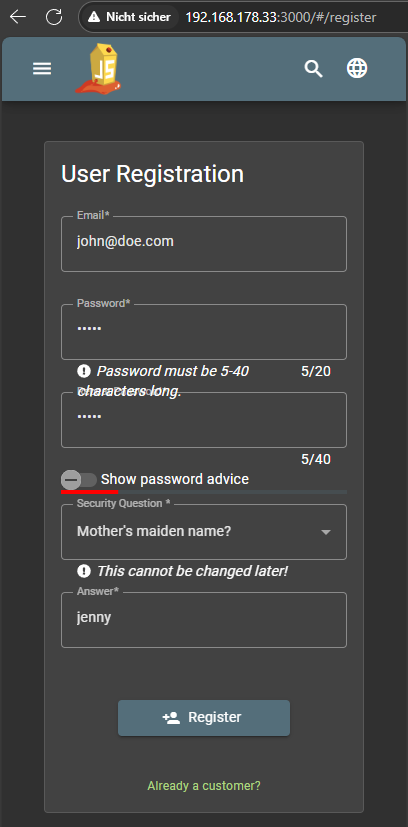
You can easily change the password display in the browser. By opening the Context menu on the page with the Right mouse button and clicking on Examine.
Find the password input field and examine the display attributes and change or remove e.g. text=“password”.
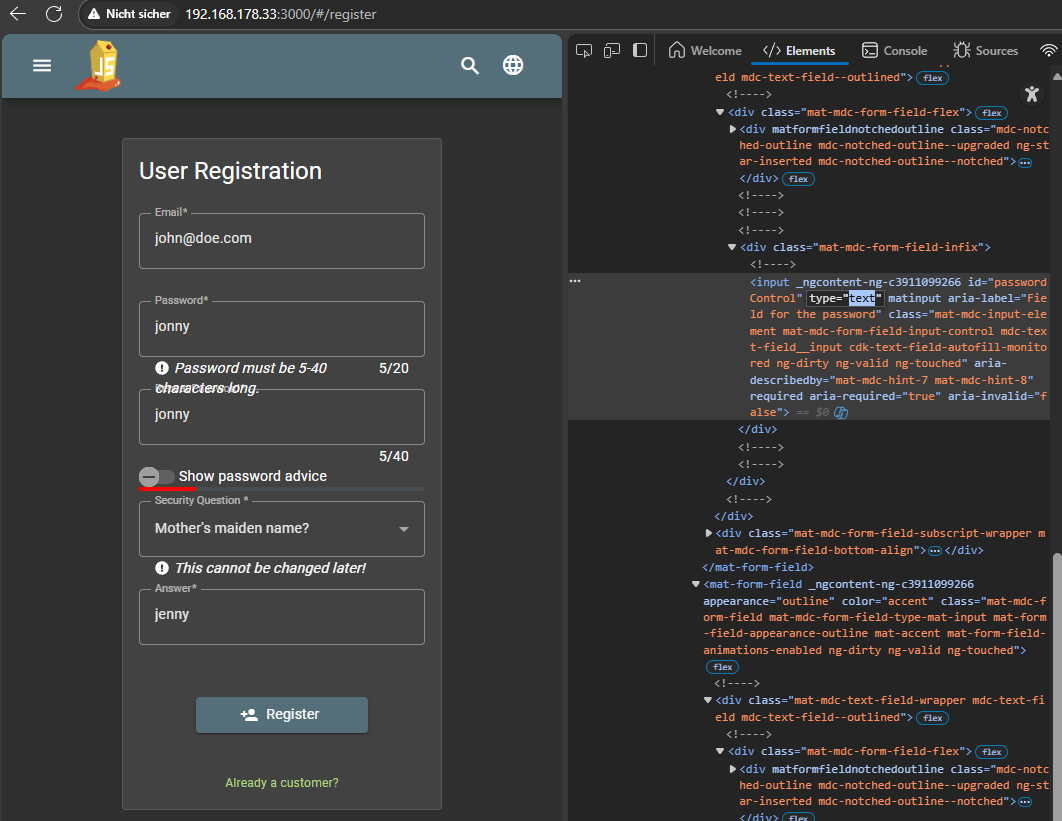
If the 2nd password entered matches. The first one is not checked again. Only if you change something in the 2nd one. This means that you can intentionally enter an incorrect password if the server does not check it again.
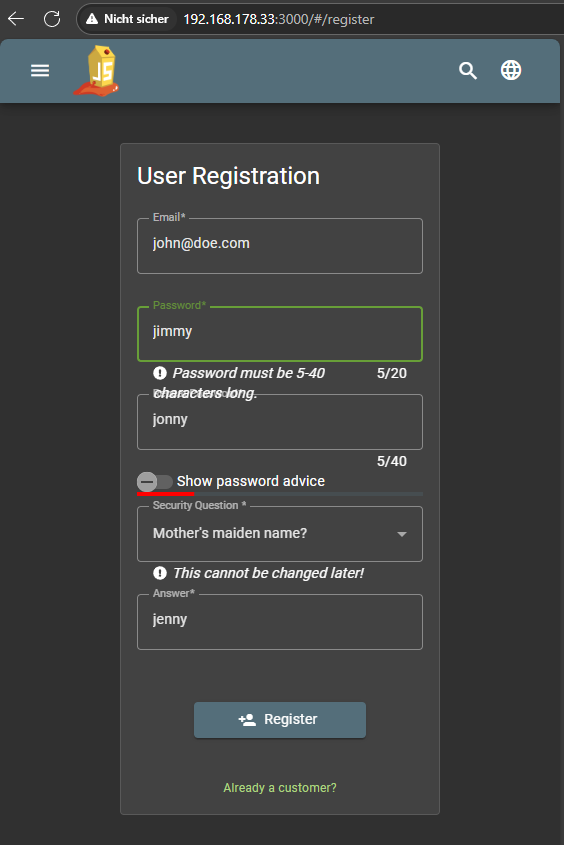
Confirm the incorrect entry (WITHOUT repeating the password) and you're done.
You successfully solved a challenge: Repetitive Registration (Follow the DRY principle while registering a user.)
Login
Only the first password is required for login
email: john@doe.com
password: jimmy